Introduction
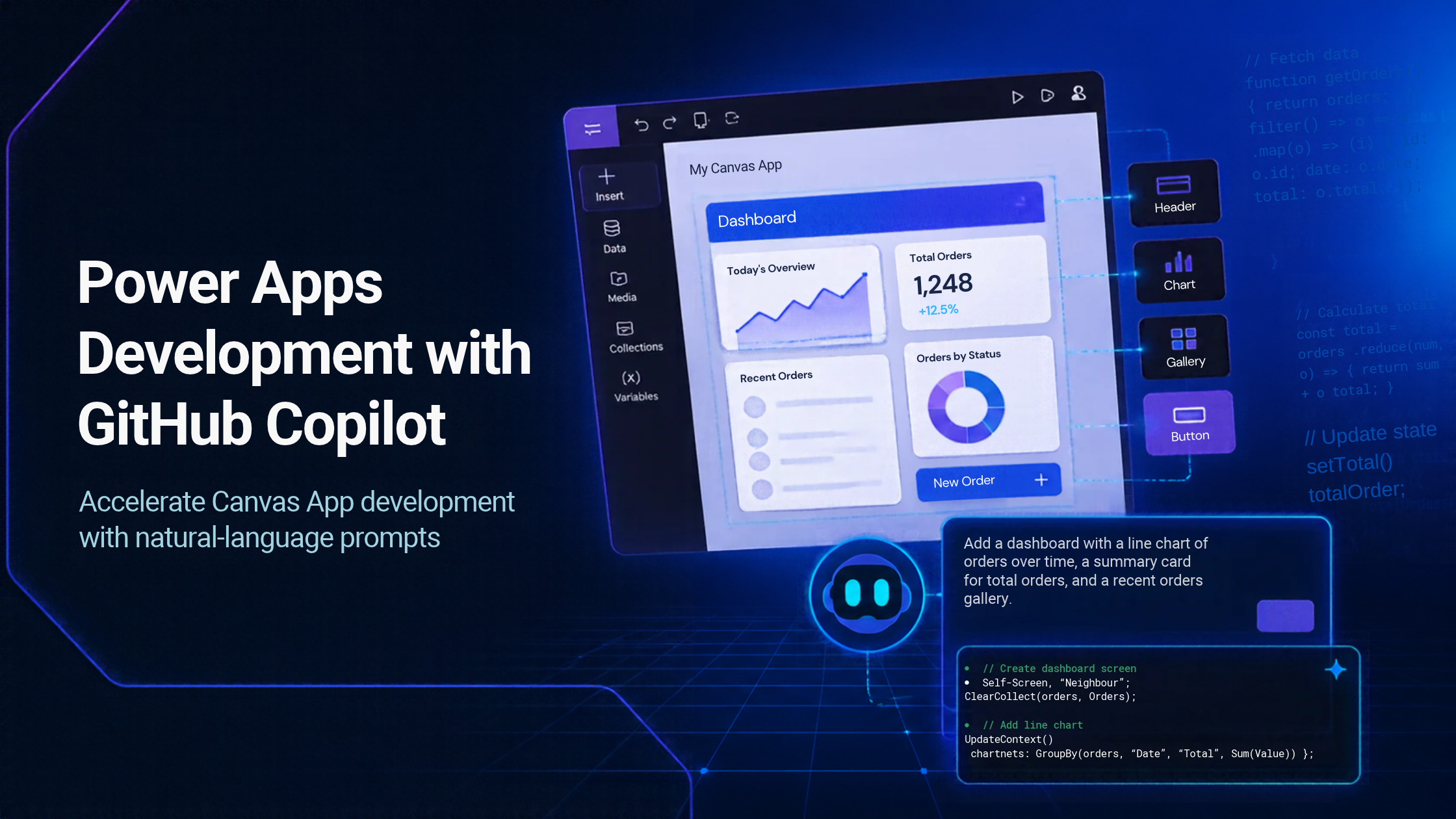
Power Apps development provides a low-code/no-code approach for building business applications with minimal traditional coding. With GitHub Copilot CLI, developers can make Power Apps Canvas App development faster and more efficient by using natural-language prompts to describe application requirements.
Instead of manually designing every screen, configuring controls, writing Power Fx formulas, and setting up application functionality, developers can provide requirements in natural language. GitHub Copilot CLI can then assist in creating and modifying the required components of the Canvas App.
This approach supports low-code app development with Power Apps by reducing manual development effort and allowing developers to focus more on business requirements, application functionality, and logic.
Using GitHub Copilot CLI, we can provide a prompt describing the application, including its functionality, screens, data sources, and requirements. Copilot can then generate the required Canvas App components based on those instructions. If changes are required after the initial development, we can provide additional prompts to modify the existing application.
Overall, Power Apps Canvas App development with GitHub Copilot CLI provides an iterative approach that can help reduce development time and simplify application enhancements.
Project Overview:
We developed a Timesheet Application using PowerApps canvas app and Dataverse.. The application has two main modules:
1. Employee Module – Employees can fill and submit their weekly timesheets, view submission history, and resubmit missed timesheets.
2. Admin Module – Admins can manage employees, projects, and activities, approve timesheets, view approval history, and provide resubmission permission.
Employee Module
1. New Timesheet: Employees can fill and submit their timesheet day-wise for the current week.
2. Timesheet History: Employees can view their submitted timesheets and approval
3. Resubmission: Employees can submit timesheets for a missed week when permission is provided by the Admin.
Admin Module
1. Approval: Admins can review and approve or decline submitted
2. Approval History: Admins can view approved timesheet
3. Project: Admins can add, edit and view
4. Activity: Admins can add, edit and view
5. Employee: Admins can add, edit, delete, and view
6. Resubmission: Admins can provide permission to an employee to resubmit a timesheet for a specific week.
Developing the Canvas App Using GitHub Copilot CLI
We started the Power Apps development by providing our requirements to GitHub Copilot CLI and instructed it to use Dataverse as the data source for the Canvas App. Based on the requirements, Copilot suggested the required Dataverse tables and their respective columns. It provided the column names, data types, and required fields, which helped us define the data structure more easily. This reduced the manual effort involved in planning the initial database structure and supported the early stages of Power Apps Canvas App development.
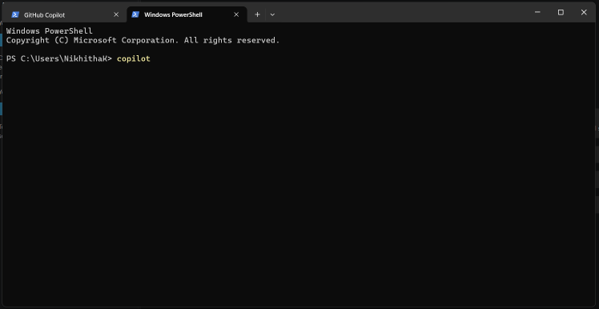
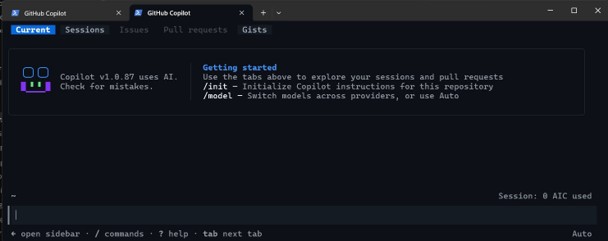
After creating the required Dataverse tables, we instructed Copilot CLI to create the Canvas App. We described the requirements using natural language instead of manually implementing each screen and formula. We provided the following prompt:
Employee Module Prompt
Build the Employee Module for a Timesheet Canvas App.
The Employee Module should contain three screens:
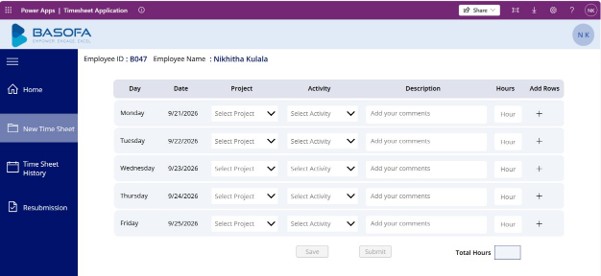
1. New Timesheet
a. Allow employees to enter timesheets for the current week, day-
b. Allow multiple project/activity entries for the same
c. Provide Add and Delete
d. Capture Day, Date, Project, Activity, Task Description, and
e. On Submit, create records in the Timesheet Approval
2. History
a. Display previously submitted
b. Show Day, Date, Project, Activity, Task Description, Hours, and
c. Allow employees to track their submission and approval
3. Resubmission
a. Allow employees to submit a missed week’s
b. Allow multiple project/activity entries for the same
c. Store the submitted records in the Timesheet Approval
Admin Module Prompt
Build the Admin Module for the Timesheet Canvas App.
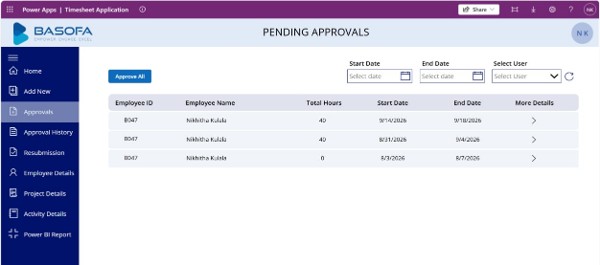
1. Approval
a. Show employee timesheets week-wise with Start Date, End Date, Total Hours, Employee Name, and Employee ID.
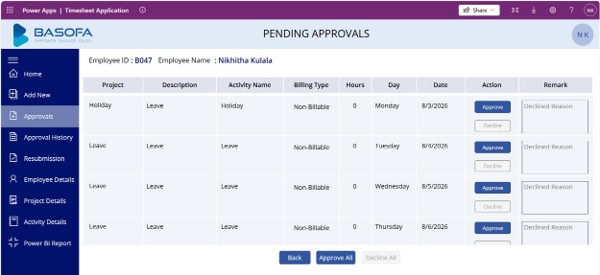
b. Provide an arrow button for each week-wise record to view the day-wise timesheet details for that selected week.
c. The day-wise details should show Date, Day, Project, Activity, Task Description, Hours, and Status.
d. Provide Approve, Decline, and Approve All
e. Update the backend status
f. Provide filters for Start Date, End Date, and Employee
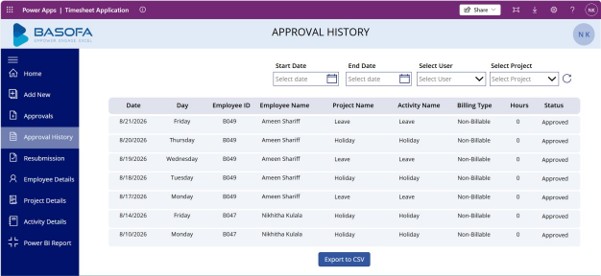
2. Approval History
a. Display approved/ declined timesheet
b. Provide filters for Start Date, End Date, Project Name, and Employee
3. Project
a. Allow Admin to add, edit and view
4. Activity
a. Allow Admin to add, edit and view
5. Employee
a. Allow Admin to add, edit, delete, and view
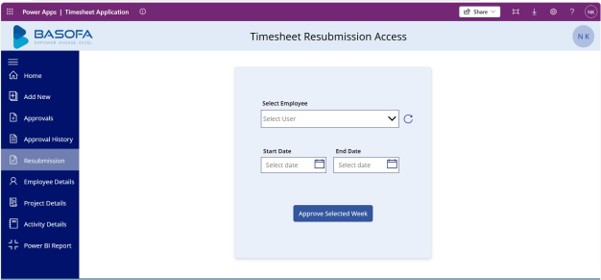
6. Resubmission
a. Allow Admin to select an Employee, Start Date, and End
b. Provide an Approve Selected Week option to give the employee permission to resubmit that week.
Iterative Development Using Natural Language
One of the major advantages of using GitHub Copilot CLI for Power Apps development was the ability to continue modifying the existing application using natural language.After the initial Power Apps Canvas App development, we could provide additional prompts to make changes to the application.
For example, we could ask Copilot to:
1. Add a search
2. Change UI
3. Reposition
4. Modify Power Fx
5. Add new
6. Modify existing
7. Update validation
8. Improve the application
Instead of rebuilding the application, GitHub Copilot CLI could update the existing Canvas App based on our instructions.We could also provide reference images of the desired UI and instruct Copilot to use them as a visual reference when designing or modifying the screens. This helped us communicate the expected layout and appearance more clearly.This made the development process more iterative and reduced the manual effort required for making changes and enhancements.
Conclusion
This project demonstrated how GitHub Copilot CLI can accelerate Power Apps development by reducing manual effort in creating Dataverse tables, Power Apps Canvas App screens, and Power Fx logic. Using natural-language prompts made it easier to build and modify the application throughout the development process. The ability to provide additional instructions and reference images also supported an iterative development approach. Overall, combining Power Apps Canvas App development with GitHub Copilot CLI helped reduce development effort, simplify iterations, and speed up application development while maintaining control over the final solution.
Frequently Asked Questions
1. What is Power Apps development with GitHub Copilot CLI?
Power Apps development with GitHub Copilot CLI uses natural-language prompts to assist with building and modifying Power Apps Canvas Apps. In this project, GitHub Copilot CLI was used to define the Dataverse structure, create Canvas App functionality, and make iterative changes to the application.
2. Can GitHub Copilot CLI be used to build a Power Apps Canvas App?
Yes. GitHub Copilot CLI can assist with Power Apps Canvas App development by using application requirements provided through natural-language prompts. In this project, prompts were used to define the Employee and Admin modules, screens, functionality, and application logic.
3. Can an existing Canvas App be modified using GitHub Copilot CLI?
Yes. After the initial Canvas App was created, additional natural-language prompts were used to request changes such as modifying UI properties, repositioning controls, updating Power Fx formulas, adding search functionality, and implementing new requirements. This supports an iterative Power Apps development approach.
4. Does using GitHub Copilot CLI replace Power Apps development knowledge?
No. GitHub Copilot CLI assists with implementation, but developers still need to understand the application’s business requirements, data structure, Power Apps functionality, and Power Fx logic. In this project, Copilot was used to accelerate low-code app development with Power Apps, while the final requirements and solution were controlled by the development team.