
Microsoft Copilot in 30: 30-Day Microsoft 365 Copilot Experience for SMBs
Microsoft’s Copilot in 30 program gives eligible small and medium-sized businesses an opportunity to evaluate Microsoft 365 Copilot through a structured 30-day experience.
For SMBs, this is an opportunity to move beyond simply asking, “Can our employees use AI?” and start asking the more important question, “Where can AI create measurable value in our business?” Microsoft 365 Copilot can already help employees work more effectively across applications such as Teams, Outlook, Word, and other Microsoft 365 experiences using organizational context available through Microsoft Graph. However, many businesses have more specialized requirements involving their own processes, business applications, data, and workflows. This is where AI agents and Microsoft Copilot Studio can help extend the capabilities of Copilot. At BASOFA, we help organizations identify the right AI use cases, optimize Copilot credit usage, build cost-effective Copilot agents, and support successful adoption across the organization.
1. Start with Copilot-but Start with the Right Questions
A 30-day evaluation should not simply be about testing whether employees like Copilot.
It should help the organization identify where AI can reduce repetitive work, improve access to information, support decision-making, or simplify business processes.
For example:
1. Can sales teams find the information they need faster?
2. Can employees quickly find answers from internal policies and documents?
3. Can customer service teams retrieve relevant information without searching multiple systems?
4. Can managers summarize information across meetings, documents and communications?
5. Where are employees repeatedly performing manual, information-heavy tasks?
6. Which processes involve multiple systems or repeated handoffs?
The answers can help identify the business scenarios where AI can create the greatest value.
2. Identify Where Standard Copilot Meets the Business Need
Microsoft 365 Copilot already provides AI assistance across Microsoft 365 and can use organizational information available through Microsoft Graph.
For many everyday productivity scenarios, this may be all an organization needs. However, some business processes require additional capabilities : such as specialized knowledge, external data sources, connections to business applications, or the ability to perform actions.
For these scenarios, organizations can consider extending Copilot with specialized agents. Microsoft describes agents as a way to extend Copilot with additional organizational knowledge, data sources, tools and actions.
3. Extend Copilot with AI Agents
With Microsoft Copilot Studio, organizations can build and extend agents for specific business scenarios.
For example, an organization could explore agents for:
1. Sales : An agent could help sales teams retrieve customer information, prepare account summaries, or support sales-related workflows.
2. Customer Service: An agent could help employees find relevant product, policy or customer information and guide them through common service processes.
3. HR: An internal HR agent could provide employees with answers based on approved company policies and documentation.
4. Procurement: An agent could help employees understand purchasing policies, retrieve relevant information and support procurement workflows.
5. Operations: An operations-focused agent could help users retrieve information from relevant business systems and support repetitive operational processes.
The objective is not simply to add another chatbot. The objective is to create an AI experience that is grounded in the right business knowledge and connected to the right tools and processes.
4. Connect AI to Business Data
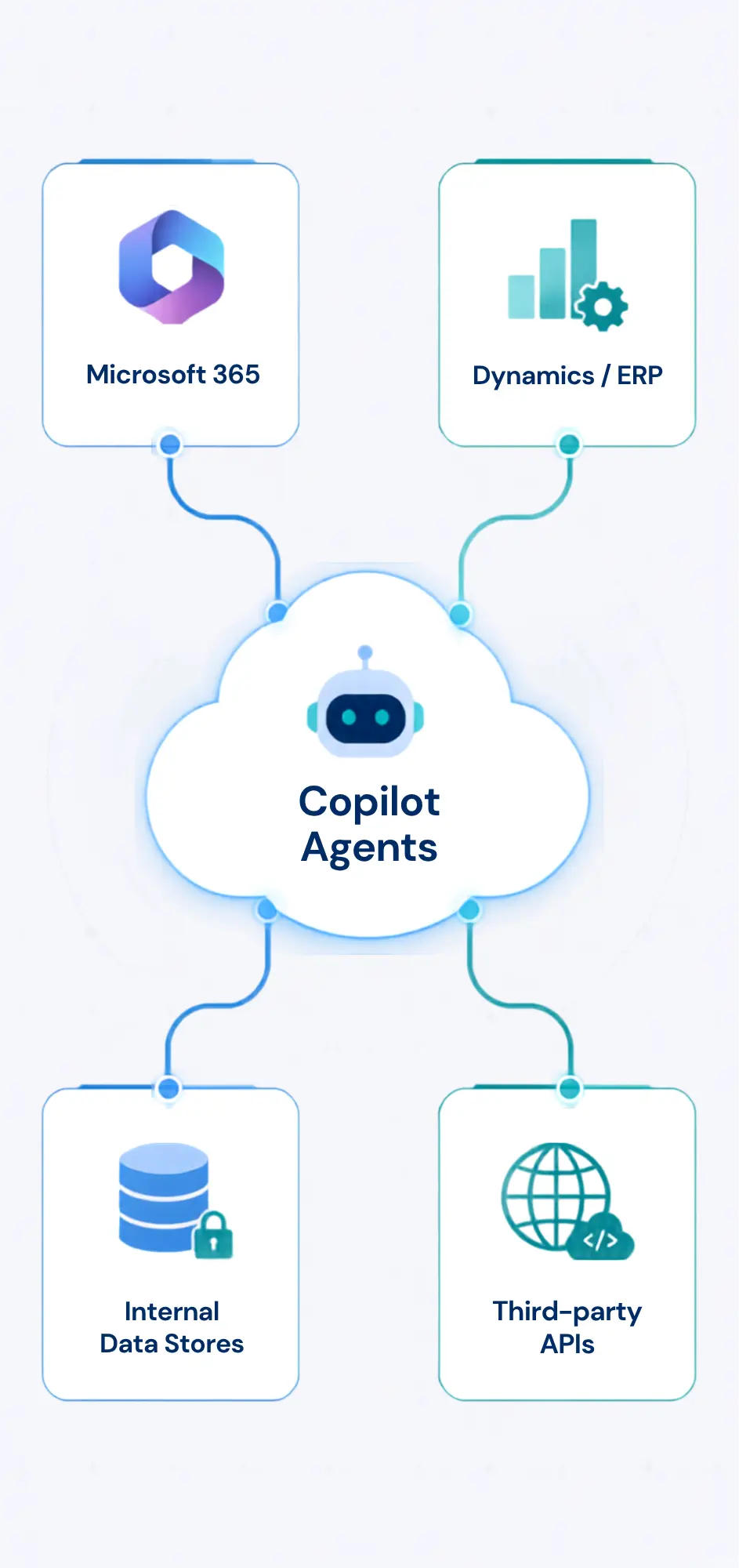 Many valuable business questions cannot be answered effectively without access to the organization’s relevant data.
Copilot Studio supports connectors and tools that can connect agents to Microsoft and non-Microsoft business systems, including Dynamics 365 and other enterprise data sources.
This creates opportunities to build experiences where AI can work with business information rather than operating only as a general-purpose assistant.
For example:
Microsoft 365 + Dynamics 365 + Business Data
1. Customer information
2. Sales information
3. Product information
4. Operational information
5. Relevant business knowledge
The exact architecture depends on the customer’s systems, data, security requirements and use case.
5. Move from Answers to Actions
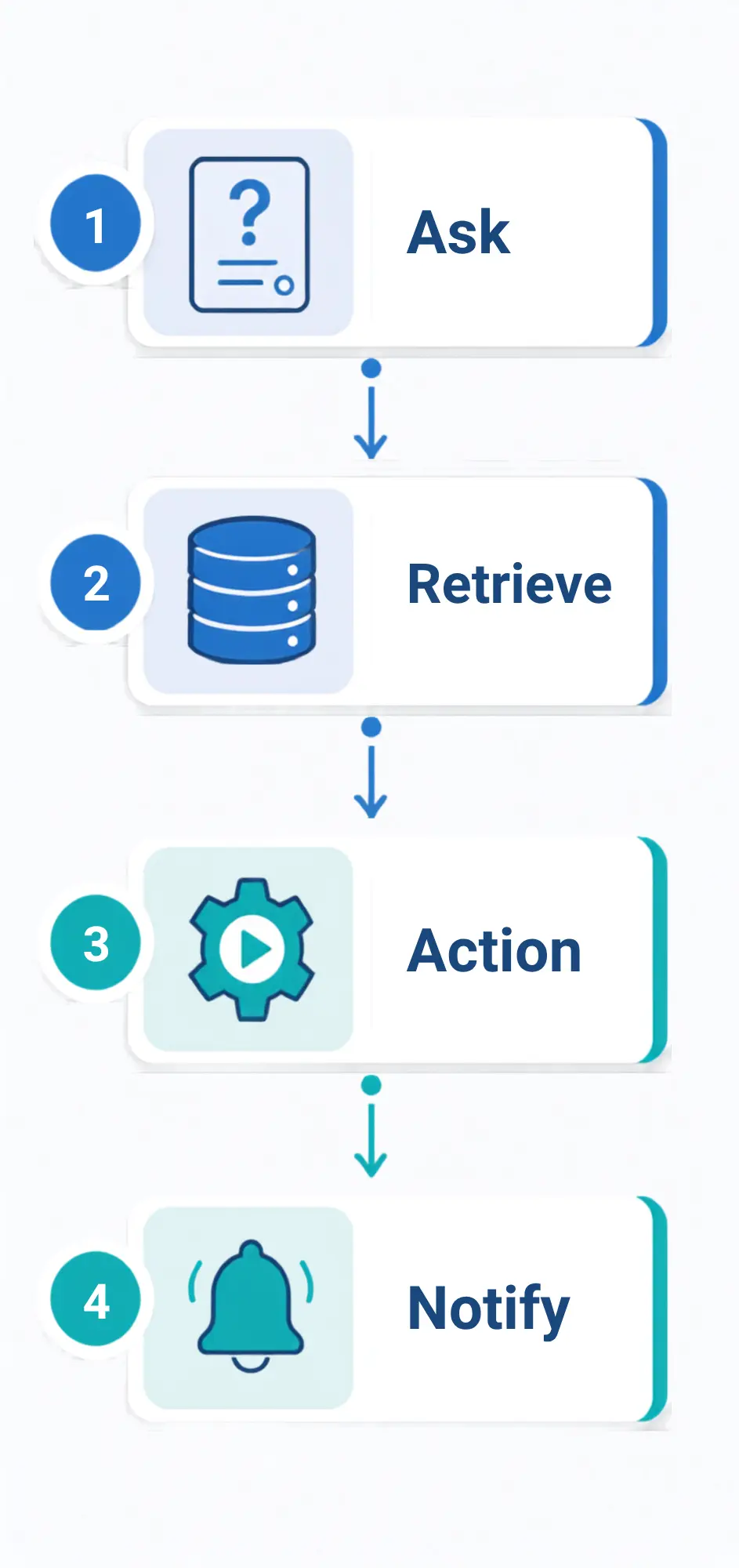
The next level is not simply asking AI questions.
It is enabling AI to support or initiate business actions.
Microsoft Copilot agents can be configured with tools and actions, while Copilot Studio workflows can connect applications and services to automate processes.
Depending on the use case, this could include scenarios such as:
1. Retrieving information from a business system
2. Creating or updating a record
3. Initiating an approval process
4. Preparing information for a user
5. Triggering a workflow
6. Sending a communication
7. Supporting a multi-step business process
These scenarios should always be designed around appropriate permissions, governance and human oversight. Microsoft provides governance and data-policy capabilities for managing how Copilot Studio agents connect and interact with organizational and external data.
A Practical 30-Day Approach for SMBs
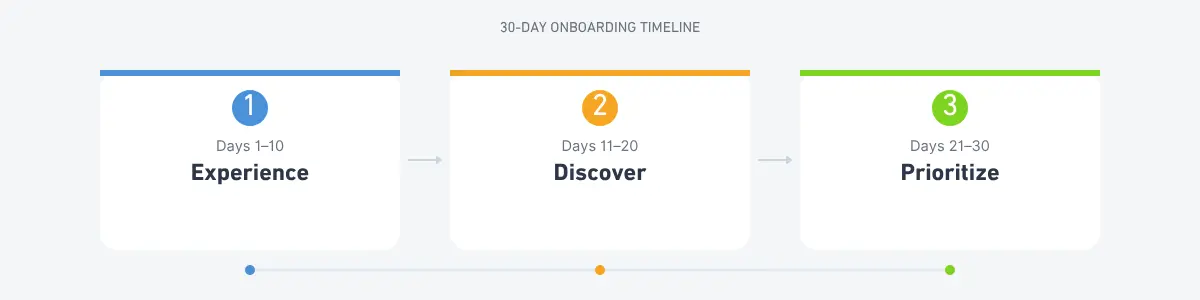
Rather than treating the Copilot evaluation as a technology experiment, SMBs can use the 30-day period to identify where AI can deliver practical business value.
1. Days 1–10: Experience
Introduce users to Microsoft 365 Copilot and identify everyday productivity scenarios across Teams, Outlook, Word and other Microsoft 365 applications.
Goal: Understand where employees are already benefiting from AI.
2. Days 11–20: Discover
Identify repetitive tasks, information bottlenecks and business processes that require employees to search across multiple sources or perform repetitive manual work.
Goal: Build a shortlist of high-value AI use cases.
3. Days 21–30: Prioritize
Evaluate which use cases can be addressed through standard Microsoft 365 Copilot and which may require additional knowledge, agents, integrations or workflow automation.
Goal: Create an AI roadmap based on business value rather than technology alone.
4. Beyond 30 Days: Extend
For selected use cases, organizations can explore specialized agents, business-system integrations and workflow automation using Microsoft Copilot Studio and the broader Microsoft Power Platform ecosystem.
Goal: Move from AI experimentation toward practical business deployment.
Where BASOFA Can Help
As a Microsoft partner, BASOFA can help organizations move from AI evaluation to practical business application.
Our approach can include:
1. AI Use-Case Discovery: Identify processes where AI could improve productivity, information access or operational efficiency.
2. Copilot Readiness Assessment: Understand the organization’s Microsoft 365 environment, business applications, data and existing processes.
3. Agent & Copilot Strategy: Determine where standard Microsoft 365 Copilot is appropriate and where specialized agents may provide additional value.
4. Business-System Integration: Explore connections between AI experiences and systems such as Dynamics 365 and other enterprise applications.
5. Copilot Studio Development: Design and build tailored agents and workflows around specific business requirements.
6. Governance & Adoption: Help organizations establish appropriate permissions, governance and user adoption practices as AI capabilities are introduced.
The Goal Isn’t More AI. It’s Better Business Outcomes.
The value of Copilot should not be measured by how many prompts employees enter. It should be measured by what the organization can improve with AI.
That could mean:
1. Less time spent searching for information
2. Faster access to business knowledge
3. Reduced repetitive manual work
4. Better employee productivity
5. More consistent processes
6. Faster decision support
7. Improved customer and employee experiences
For some organizations, Microsoft 365 Copilot may address the requirement directly. For others, the next step may be to extend Copilot with specialized agents, business data and automated workflows. The right approach depends on the business problem,not simply the technology.
From Evaluation to Implementation
Copilot in 30 provides an opportunity to start. The next step is understanding where AI can make a meaningful difference to your organization.
BASOFA can help businesses move through that journey:
Evaluate → Discover → Prioritize → Extend → Deploy → Measure
The goal is not to implement AI for the sake of AI. It is to build practical, governed AI experiences that work with the way your business actually operates.
Talk to BASOFA about exploring your Copilot and AI opportunities.